Software Improvements and Conclusion
We have built a fully functional Personal Finance application with Laravel and Filament. We have accounts, transactions, budgets, and a dashboard. However, as “The Passionate Architect” would say, functionality is just the baseline. Truly great software is robust, secure, and delightful to use.
In this final lesson, we are going to pay down some technical debt, improve the user experience, and add those final touches that make an app feel “finished”.
1. Safety First: Manual Data Scoping
Throughout our development, you might have noticed a repetitive pattern. Every time we query Transaction, BankAccount, or Budget, we have to append ->where('user_id', auth()->id()).
This isn’t just annoying; it’s dangerous. If we forget this line in just one place, we could expose one user’s financial data to another. That is a critical security failure.
The Solution: Global Scopes
Laravel offers an elegant solution called Global Scopes. These allow us to add a constraint to all queries for a given model properly.
We can create a UserScope that automatically applies the where('user_id', auth()->id()) clause. To make this even cleaner, we can wrap the applying of this scope into a Trait (e.g., BelongsToAuthenticatedUser) and use it on all our user-owned models.
Now, our models secure themselves by default.
2. Keeping Balances in Sync
Right now, if you create a transaction, the balance on the BankAccount model stays the same. You’d have to manually calculate it, which leads to desynchronized data.
We need the system to react to changes. When a transaction is created, we subtract (or add) the amount. When it’s deleted, we reverse it. When it’s updated, we handle the difference.
Enter Observers
We can generate an Observer to handle these model events:
php artisan make:observer TransactionObserver --model=TransactionIn the observer, we handle the created, updated, and deleted methods to adjust the bank account balance automatically. This ensures our data remains consistent without cluttering our controllers or Filalment resources with logic.
3. Better UX: Inline Creation
Imagine you are adding a transaction and realize you forgot to create the “Groceries” category. In a standard app, you’d have to leave the page, go to Categories, create it, come back, and restart your transaction. Frustrating.
Filament solves this with createOptionForm(). By adding this to our Select fields for Category, Budget, and BankAccount, users can create a new item within a modal without leaving the transaction flow.
Crucially, since these are new records, we must ensure they are assigned to the current user automatically behind the scenes.
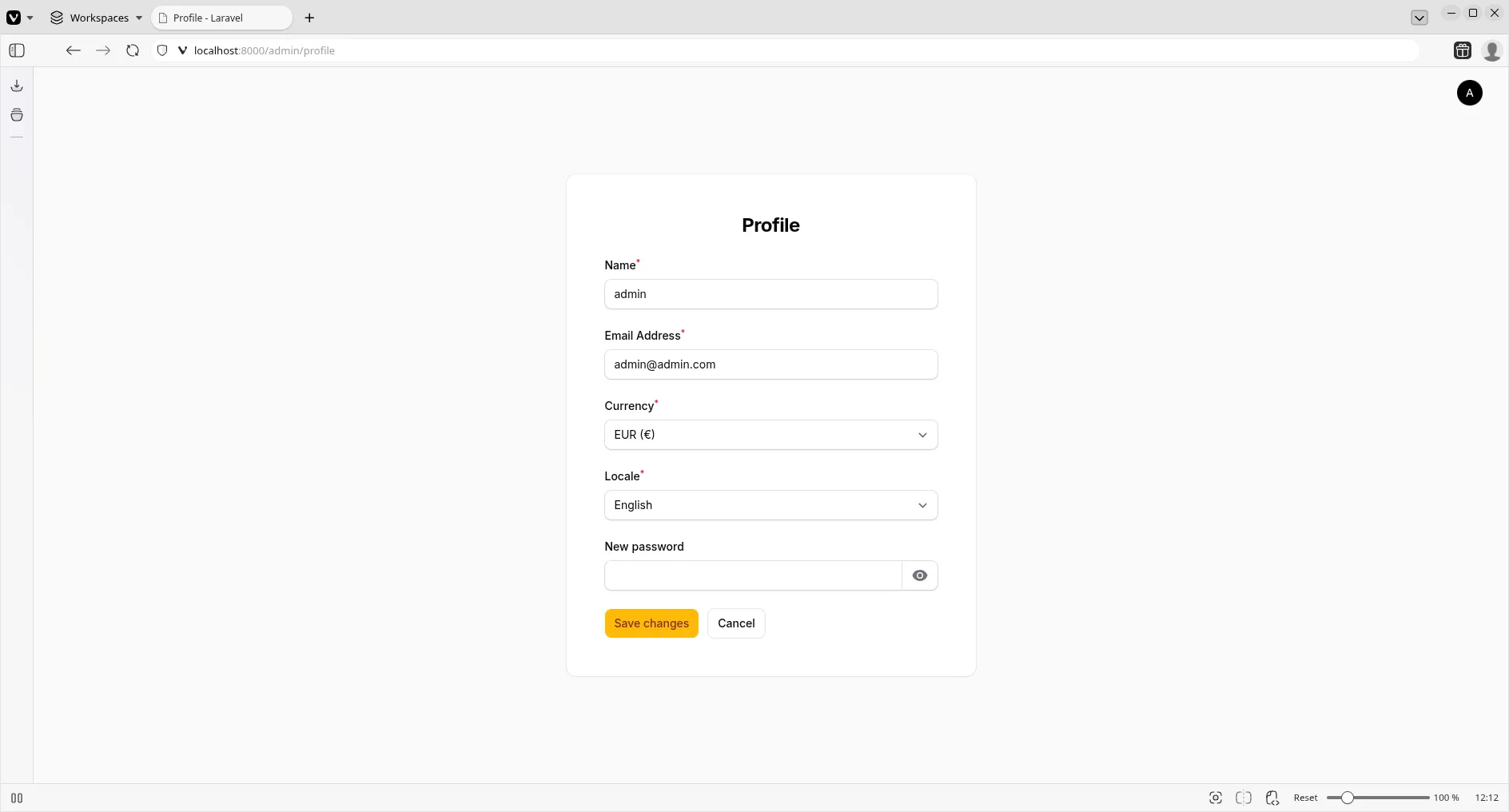
4. Making it Personal: Currency & Locale
Up until now, we’ve hardcoded ‘EUR’. But what if our user is in the US? or Japan?
We shouldn’t hardcode these preferences. Let’s move them to the database.
- Add
currencyandlocalecolumns to theuserstable via a migration. - Update the
Usermodel. - Create a Profile page in Filament to let users manage these settings.
Now, every number in the app can be formatted according to the user’s actual preference.
Future Improvements
Our application is solid, but software is never “done”. Here are some challenges for you to tackle next:
- Multi-currency Support: Handle exchange rates between accounts.
- Recurring Transactions: Implement subscriptions or scheduled payments.
- CSV Import/Export: Allow users to upload their bank statements.
- Budget Alerts: Send email notifications when a budget is nearing its limit.
- Shared Accounts: Allow partners to manage a single bank account together (Family features).
- Performance: Install Laravel Debugbar to check for N+1 query problems.
Conclusion
Congratulations! You have built a secure, feature-rich Personal Finance application using the Laravel and Filament.
You’ve learned about Resources, Widgets, Relations, Observers, Global Scopes, and Custom Pages. You have a portfolio-ready project that solves a real problem.
View the final project documentation
Happy coding!