The first Filament admin panel
The First Filament Admin Panel
We have our database structure. It’s solid, typed, and waiting for data. But a database without an interface is like a library without doors, secure, but useless.
Today, we build the doors.
We are going to create our first Filament Resources. In Filament, a “Resource” is the static representation of an entity in your admin panel. It describes how your model looks in a table, how it behaves in a form, and how it relates to the rest of your application.
We will start with something fundamental: Categories.
1. Creating the Category Resource
Filament provides a powerful artisan command to generate resources. We want our categories to be manageable quickly, without navigating away from the list. We want a “Simple Resource”, one that handles Creating, Reading, Updating, and Deleting (CRUD) all on a single page using modals.
Run this command:
php artisan make:filament-resource Category --simpleThis generates two key files:
app/Filament/Resources/CategoryResource.php: The definition of the table and form.app/Filament/Resources/CategoryResource/Pages/ManageCategories.php: The page controller that handles the actions.
You can see the initial structure in this commit.
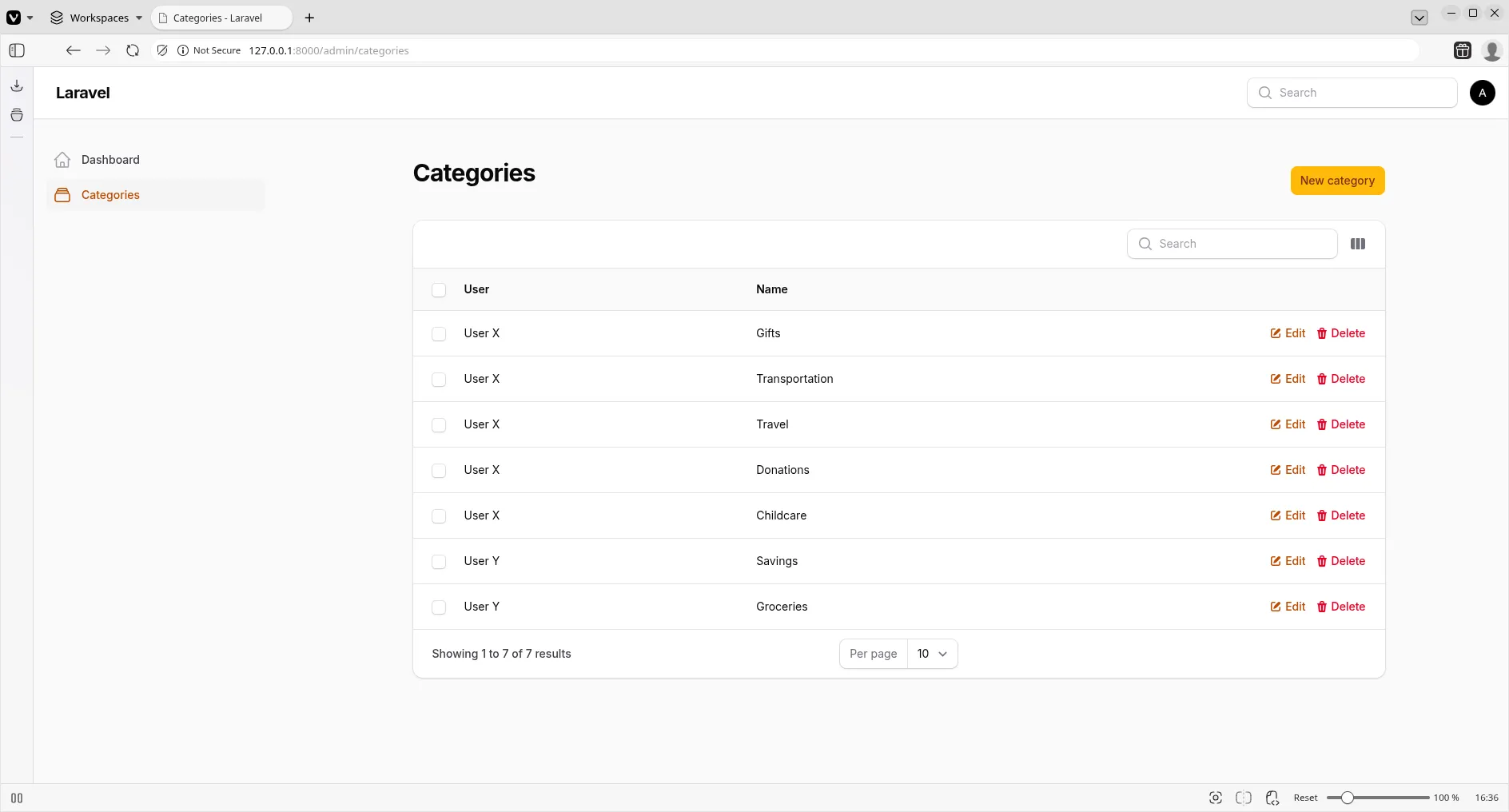
If you visit /admin/categories now, you might see a form with a User dropdown. This is technically correct, a category belongs to a user, but practically wrong. When I create a category, it should be mine. I shouldn’t have to select myself from a list.
2. Scoping and Context
We have two problems to solve:
- Visibility: I can see categories belonging to other users.
- Creation: I have to manually select the user.
Fixing Visibility
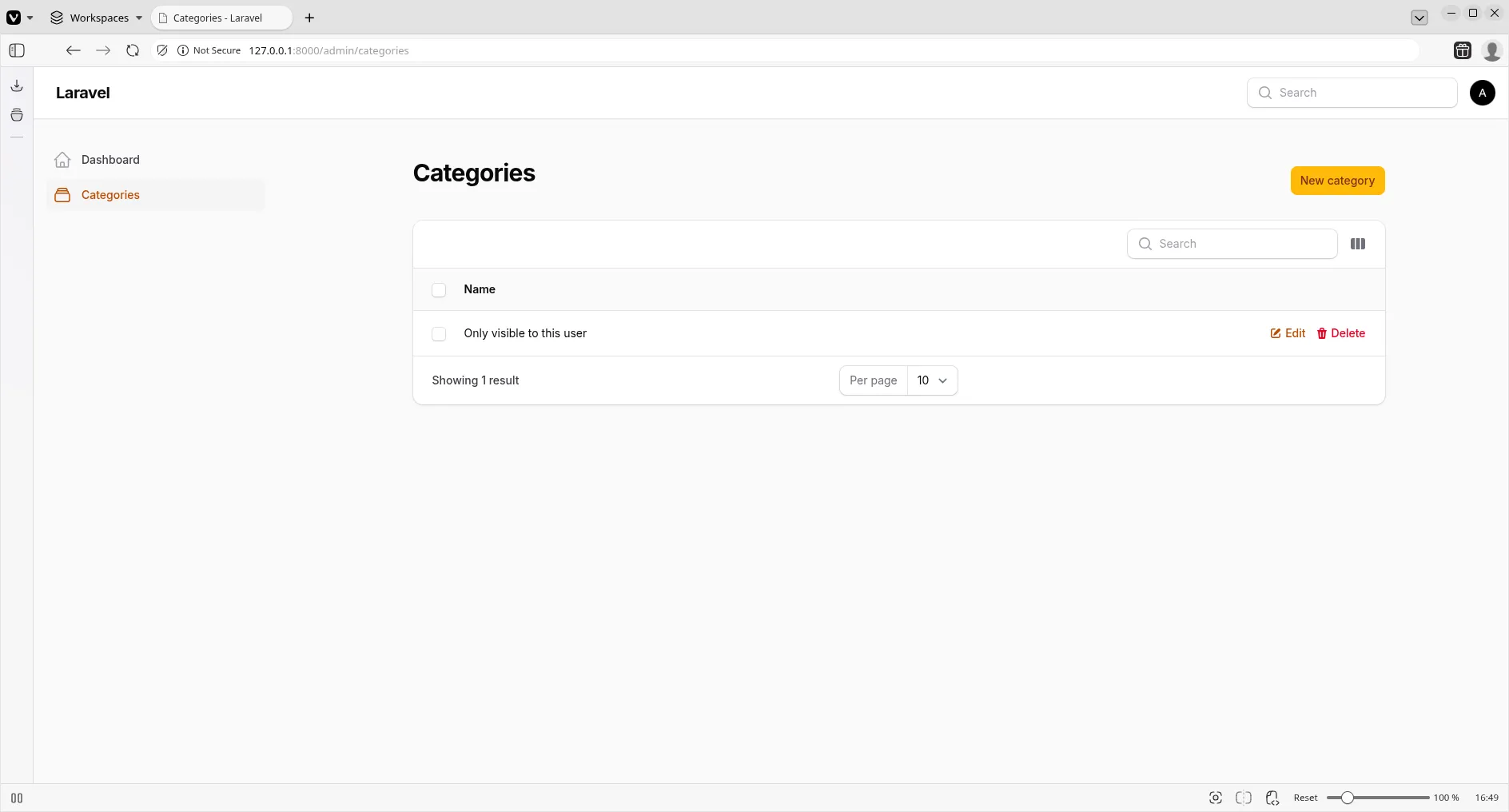
To ensure I only see my records, we strictly scope the Eloquent query used by the resource. We override the getEloquentQuery method in CategoryResource.php.
public static function getEloquentQuery(): \Illuminate\Database\Eloquent\Builder
{
    return parent::getEloquentQuery()->where('user_id', auth()->id());
}
Now, the table will only ever load records where user_id matches the logged-in user.
Fixing Creation
Next, we clean up the form. In CategoryResource::form(), remove the user_id input completely. We don’t want the user to worry about it.
But the database needs that ID. So, we inject it programmatically.
In app/Filament/Resources/CategoryResource/Pages/ManageCategories.php, we modify the CreateAction. We use mutateFormDataUsing to intercept the form submission and add the current user’s ID before it hits the database.
protected function getHeaderActions(): array
{
    return [
        CreateAction::make()
            ->mutateDataUsing(function (array $data): array {
                $data['user_id'] = auth()->id(); // <--- This implies the user
                return $data;
            }),
    ];
}
We also remove the user column from the table to keep it clean.
You can view the specific changes to scope the data in this commit.
3. Bank Accounts
Money needs a home. Let’s apply the exact same logic to Bank Accounts.
- Generate the resource:
php artisan make:filament-resource BankAccount --simple. - Scope the query in
BankAccountResource. - Inject the
user_idinManageBankAccounts.
If you check your database or use artisan tinker, you’ll notice our MoneyCast is working silently in the background. When you type “1000” in the balance field, it’s stored as 100000 (cents) in the database, assuming you treated the input as a distinct number.
Wait, there’s a nuance here. Our form is currently generic. Later, we’ll want to ensure we are handling decimals correctly in the UI so the user types “10.00” and we store “1000”. For now, we are trusting the raw input.
Check the implementation of the Bank Account resource here.
4. Budgets and Presentation
Finally, let’s tackle Budgets. This is where Filament’s UI components really shine.
Generate the resource:
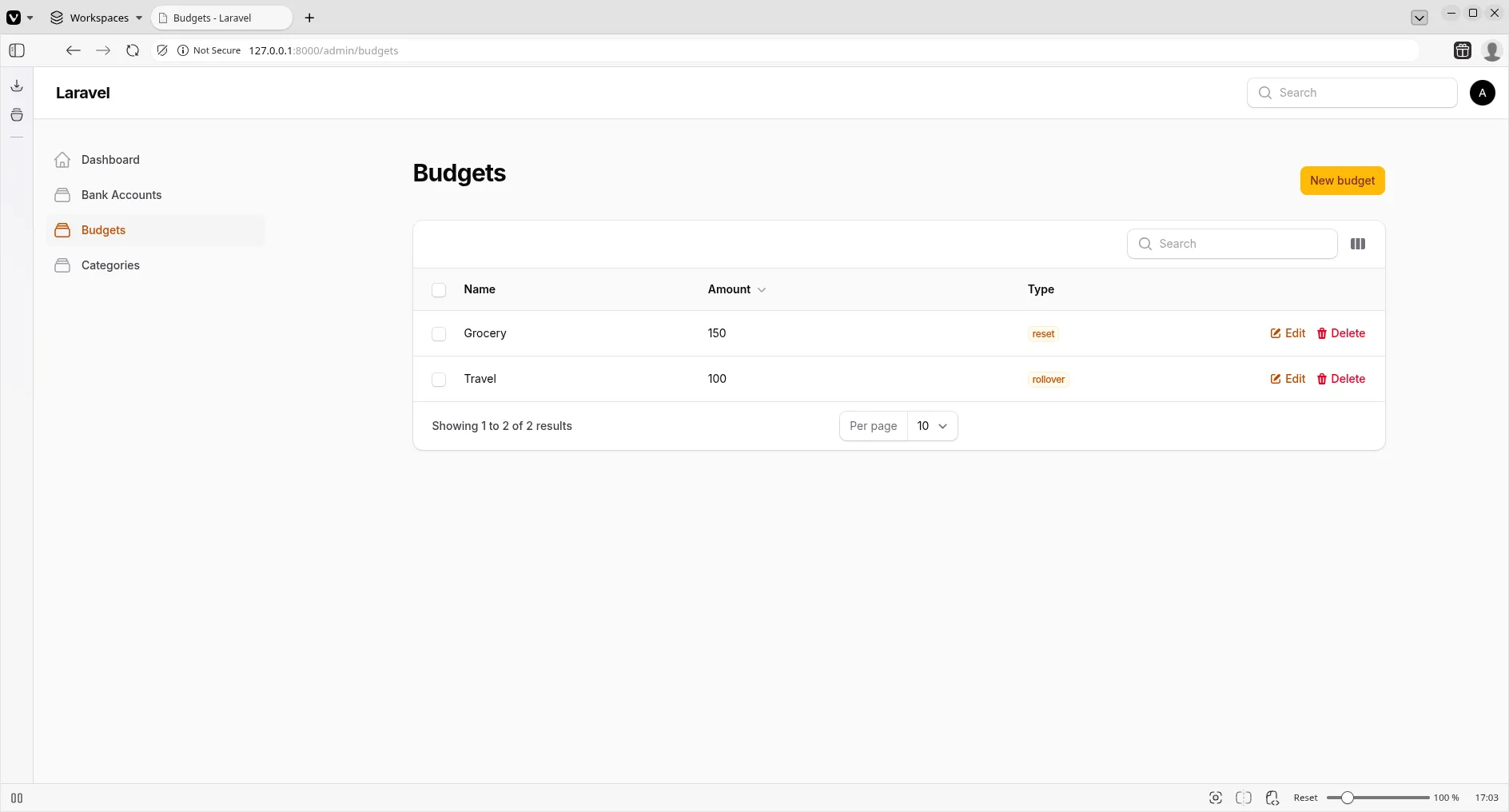
php artisan make:filament-resource Budget --simpleBudgets have a type (Reset or Rollover). In our database, this is an Enum string. In Filament, we want to visualize this instantly using colors.
The Badge Column
In BudgetResource.php, we can use a TextColumn but format it as a badge.
TextColumn::make('type')
    ->badge()
    ->color(fn (BudgetType $state): string => match ($state) {
        BudgetType::Reset => 'success',
        BudgetType::Rollover => 'warning',
    })
    ->searchable(),
This simple chaining transforms a boring text string into a vibrant, communicative UI element.
Formatting Money
We also want to display the budget amount as actual currency, not just a raw number. Filament has a dedicated money formatter.
TextColumn::make('amount')
    ->money('EUR')
    ->sortable(),
This creates a polished, professional look immediately.
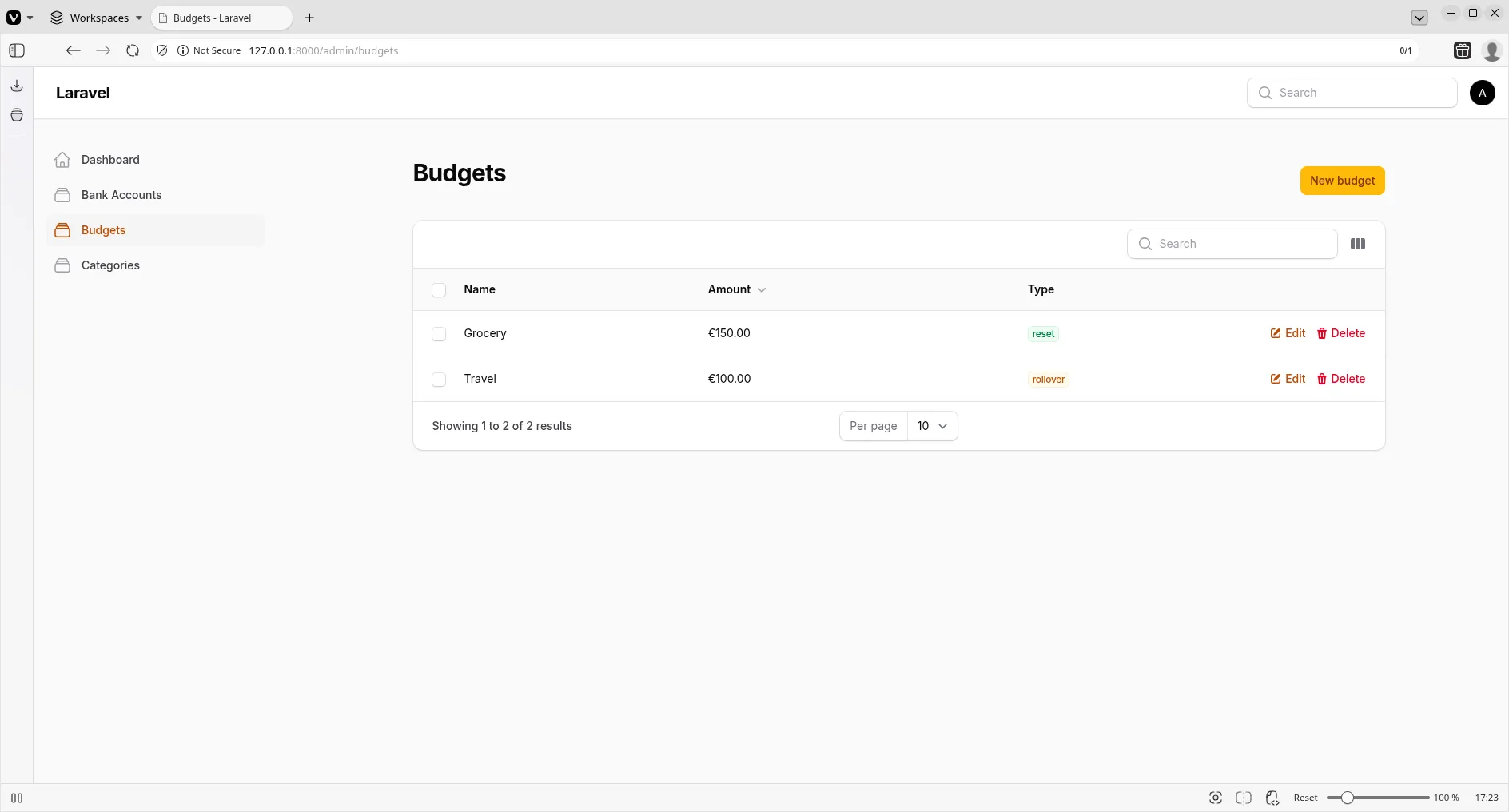
You can explore the Budget resource implementation in this commit, and see how we refined the badge colors here.
Conclusion
We now have three functional pillars of our personal finance application:
- Categories to label our spending.
- Bank Accounts to store our wealth.
- Budgets to control our impulses.
And importantly, they are completely private to the logged-in user.
In the next lesson, we will test our first Resources. Keep building.